
A DCS trainer quotation is useful only when the offered controller, I/O capacity, software and network interfaces match the exercises students will actually perform. Scientico lists two different systems: the DCS Trainer | Prozessi PX 27 and the True DCS Trainer | Prozessi PX 28. Their published specifications support different BOQ lines; the model names alone are not a sufficient technical comparison.
Equipment mentioned in this guide
Review the product information, specifications and model before requesting a quotation.
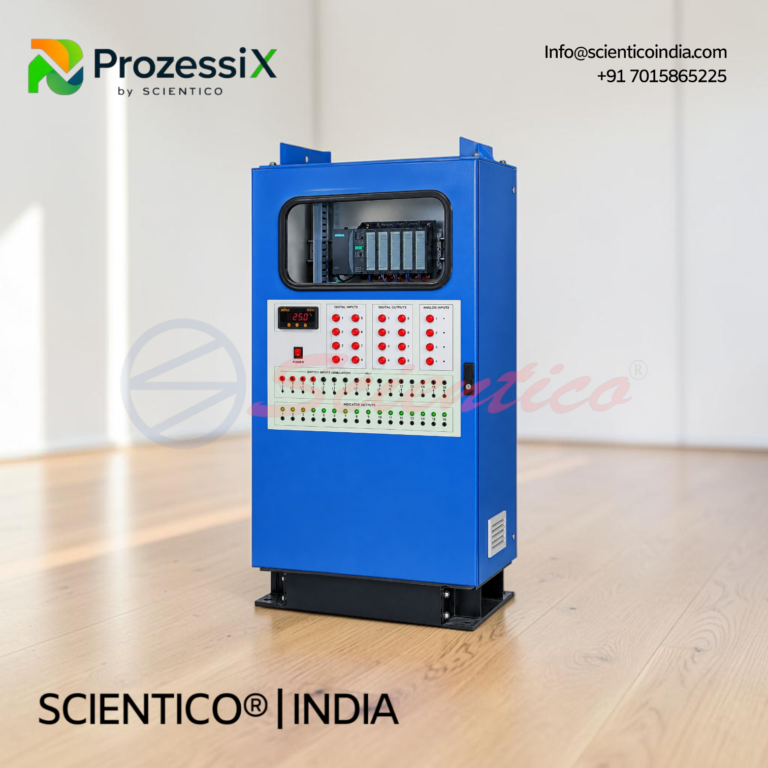
DCS Trainer | Prozessi PX 27
The DCS Trainer (Hybrid Controller) Prozessi PX 27 teaches distributed control system concepts, network communication and HMI-based process control. This DCS Trainer combines PLC and hybrid controller architecture for continuous, batch and discrete control applications.
View product details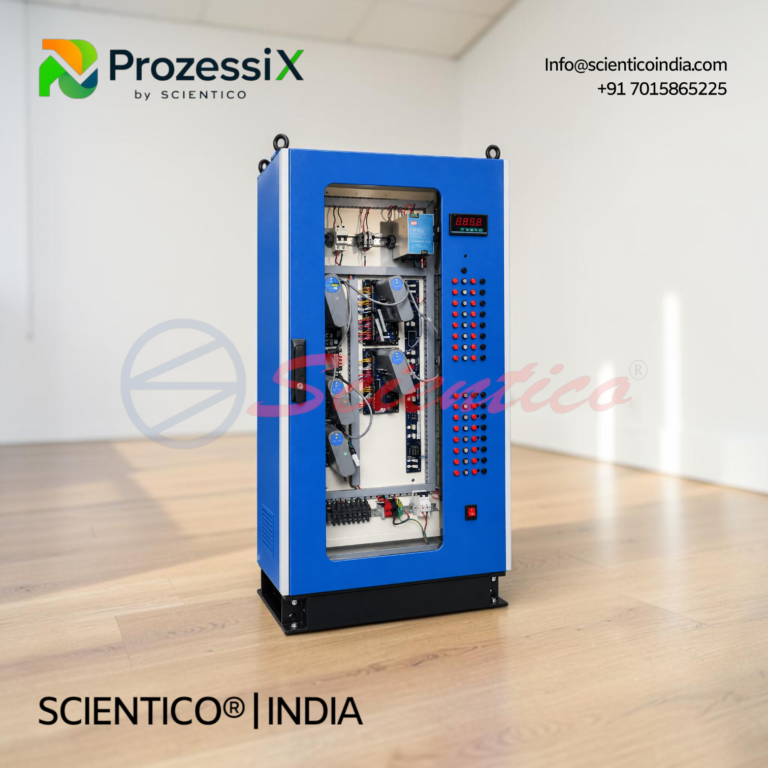
True DCS Trainer | Prozessi PX 28
The True DCS Trainer Prozessi PX 28 teaches modern process control using a Honeywell DCS controller combining PLC logic with regulatory control features. This True DCS Trainer covers hybrid controllers, network communication, SCADA/HMI and real-world process integration.
View product detailsStart with the teaching requirement
List the experiments before selecting hardware. Does the course need students to configure function blocks and HMI screens, route analogue and digital signals, study eight control loops, or demonstrate a particular industrial controller platform? State whether the trainer must connect to an external process rig or whether simulated inputs are enough. The quotation should name the exact controller, software, I/O and accessories supplied for those exercises.
PX 27 and PX 28: the published differences
| BOQ item | Prozessi PX 27 | Prozessi PX 28 |
|---|---|---|
| Controller listed | Honeywell HC900-C30 hybrid controller | Honeywell S8 C300 controller |
| Analogue inputs / outputs | 8 inputs / 4 outputs | 16 inputs / 16 outputs |
| Digital inputs / outputs | 16 inputs / 16 outputs | 32 inputs / 32 outputs |
| Control loops | 8 | 8 |
| Communication named on product page | RS232, RS485, Ethernet; Modbus/TCP, Modbus RTU and OPC | Modbus TCP/IP over Ethernet |
| Panel interaction described | Four rotary switches for simulated analogue inputs and eight pushbuttons for simulated digital inputs | Banana sockets for analogue I/O, digital switches and indicators, with ten 4 mm test leads |
These values are the current website specifications, not an order-specific promise. Confirm the current controller revision, licence scope and any interface to an external plant in the written offer. Do not treat the greater I/O count as a substitute for a required controller architecture or experiment.
What to put in a DCS trainer RFQ
- Learning outcomes: name the experiments, signal routing, control-loop and SCADA tasks, plus the number of student groups.
- Controller and I/O: state the minimum analogue and digital channels, signal ranges and whether physical or simulated field inputs are required.
- Software: ask for the exact HMI/SCADA package, licence terms, installation requirements, sample projects and training documentation.
- Communications: specify the protocols and physical ports needed for the lab’s existing equipment.
- Supply and acceptance: request the mains requirement, included cables, leads, software media, manuals, demonstration at acceptance and any separately quoted options.
For a comparable tender response, ask each supplier to answer the original line items with an offered model, included scope, deviations and supporting document references. If a named controller is mandatory, confirm it in the technical schedule rather than assuming that the words “DCS trainer” establish equivalence.
Next step
Review the process engineering equipment range, then send Scientico your controller requirement, experiment list, quantity and delivery country through the quotation form. Request a model-specific supplied-scope list for PX 27 or PX 28 before comparing price.
One honest ask
This article and public product information are available to browse without an account. To open a product datasheet, complete the contact form shown with its download link. If this article was useful, leave your email and two things happen: we send you this page as a plain-text block you can paste into a tender file or an internal email, and we notify you the next time we publish a buyer tool like this one. Nothing else. No drip sequence, no sales calls booked without asking.