
“Pneumatics training system” can describe different teaching scopes. One lab may need students to assemble air-operated cylinder circuits and recognise valves. Another may assess advanced pneumatic sequencing. An automation course may require electrical inputs, solenoid valves and PLC control. Scientico lists three related systems: Pneumatics Training System (Basic Level) | MX – 01, Pneumatics Training System (Advanced Level) | MX – 02 and Electro-Pneumatics Training System (Basic Level) | MX – 03. The right starting point follows the practical outcomes in your syllabus. A model code alone cannot tell a procurement team whether the supplied modules cover those outcomes.
Equipment mentioned in this guide
Review the product information, specifications and model before requesting a quotation.
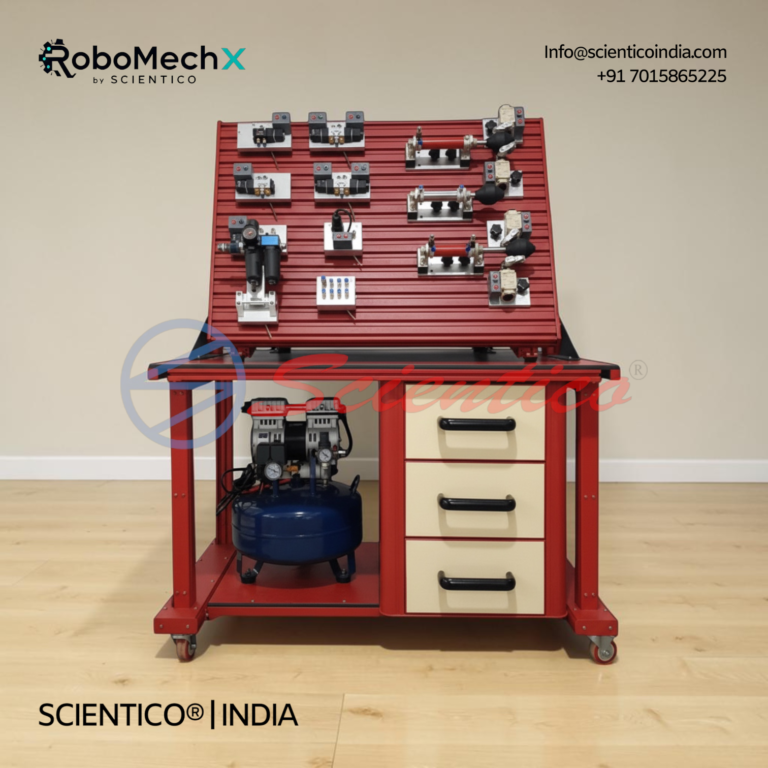
Pneumatics Training System (Basic Level) | MX – 01
The Pneumatics Training System (Basic Level) MX - 01 is a hands-on training setup for learning pneumatic systems and control techniques. This Pneumatics Training System allows learners to assemble, disassemble, and troubleshoot pneumatic circuits using industry-standard components. It is built for practical, skills-based instruction in pneumatic technology.
View product details
Pneumatics Training System (Advanced Level) | MX – 02
The Pneumatics Training System (Advanced Level) MX - 02 builds on the components and concepts of a standard pneumatic training system for a more comprehensive learning experience. This Pneumatics Training System incorporates advanced features to simulate real-world industrial pneumatic applications. It bridges theoretical knowledge and practical implementation for learners.
View product details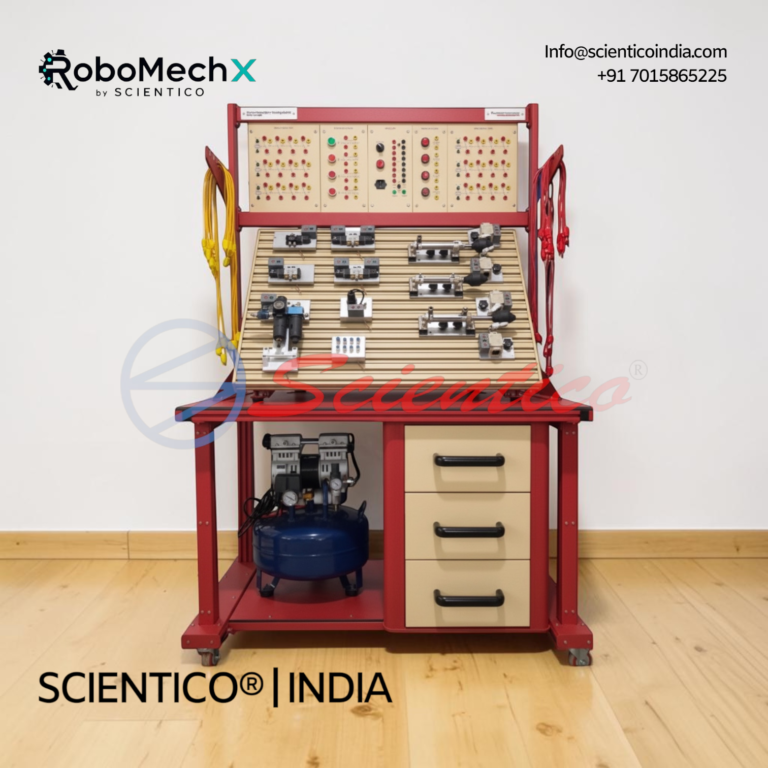
Electro-Pneumatics Training System (Basic Level) | MX – 03
The Electro-Pneumatics Training System (Basic Level) MX - 03 is a hands-on setup for learning the principles, components, and applications of electro-pneumatic systems. This Electro-Pneumatics Training System (Basic Level) teaches how electrical signals control pneumatic actuators and valves in industrial automation. It is used in technical education, vocational training, and industrial automation settings.
View product details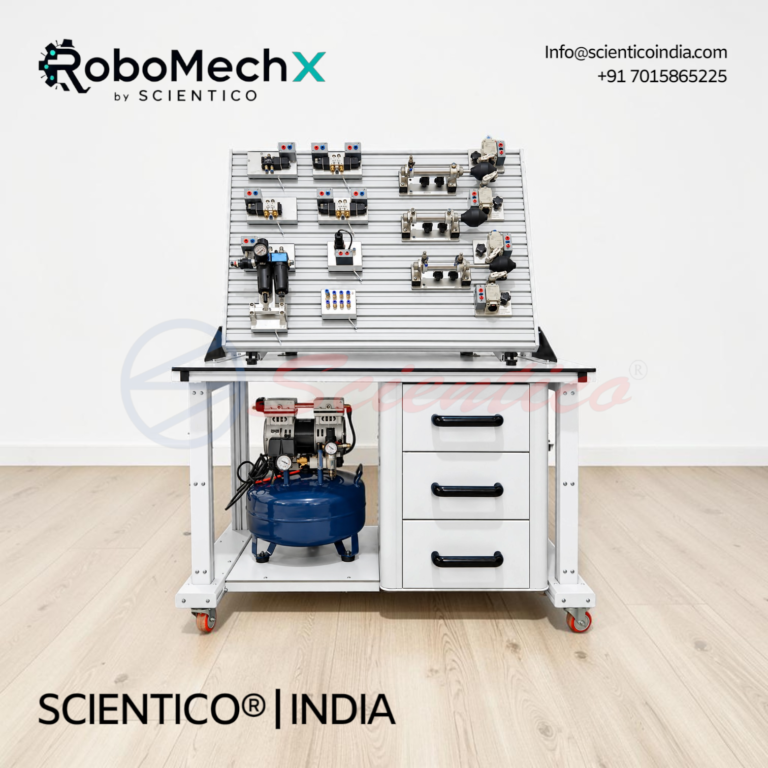
Pneumatics Training System (Advanced Level) | MX-02A
The Pneumatics Training System (Advanced Level) MX-02A is a hands-on trainer for pneumatic control, circuit design, logic control, and sequencing. This pneumatics training system advanced level includes an inclined profile plate, FRL unit, cylinders, directional valves, and pneumatic logic components.
View product detailsSeparate pneumatic control from electro-pneumatic control
MX – 01 is a pneumatic circuit-building system. Its product record lists a base table, service unit, air distributor, single- and double-acting cylinders, an air compressor, pressure and flow-control valves, quick exhaust, gauges, time-delay valves, 3/2-way and 5/2-way valves, and AND and OR logic valves. Students can assemble and troubleshoot circuits that respond to pressure, position or time. If the learning objective is to recognise pneumatic symbols and use air-operated components, this is the model to compare first.
MX – 02 extends pneumatic circuit complexity rather than switching to electrical control. Its listed modules include a 3/2-way emergency switch, 5/3-way air-actuated valves, more AND/OR logic valves and pilot-operated check valves. The product description positions those additions for advanced control and sequencing exercises. A course that asks students to design or troubleshoot more involved air-operated logic may need that larger component set; a course teaching only introductory cylinder and valve functions may not.
MX – 03 teaches the electrical side of pneumatic actuation. Its published table lists a PLC module, 3/2-way and 5/2-way solenoid valves, electrical limit switches, relays, a digital time relay and counter, inductive, capacitive and optical sensors, a power supply and an air compressor. The product description calls for building electro-pneumatic circuits and troubleshooting electrical and pneumatic interactions. It is the relevant model when the assessment includes electrical signals or PLC-controlled actuation, even though its product name says “Basic Level.” “Basic” here refers to its level within electro-pneumatics, not to the absence of electrical controls.
Use the component list as a teaching map
Build a one-page schedule with three columns: practical, component needed and evidence of completion. For a direct cylinder-control exercise, specify the required single- or double-acting cylinder and the valve type students must operate. For pressure-dependent sequencing, identify the pressure-sequence valve. For time-dependent operation, identify a time-delay valve on an air-only trainer or a digital time relay on the electro-pneumatic trainer. For electrical feedback and control, name the relevant switch, sensor, relay or PLC exercise.
This map is more useful than requiring the largest possible kit. MX – 01 already lists both AND and OR pneumatic logic elements, so “logic” by itself is not a reason to move to MX – 02. The distinction is the breadth and complexity of the circuits the syllabus requires. MX – 02 lists additional 5/3-way valves and pilot-operated check valves, while MX – 03 changes the control method by adding electrically operated valves and control components. Ask the academic team which of those functions appear in assessed practicals before writing the BOQ.
The live product pages list an air compressor with each of the three systems. That does not resolve your room’s electrical supply, compressed-air quality, noise limits or local safety procedures. Request a current utilities schedule and installation guidance for the exact offered configuration. Confirm workbench space, group size, connection points and how the trainer will be isolated and depressurised between exercises.
Compare included hardware and optional software separately
The MX – 01 and MX – 02 pages describe simulation software as optional. The MX – 03 page does the same. A buyer who expects students to design circuits on screen before connecting hoses should ask for the software edition, licence scope, computer requirements and the exercises it supports as separate quotation lines. Do not assume a hardware trainer comes with simulation software simply because the product description discusses it.
Likewise, ask for an itemised list of cylinders, valves, hoses, fittings, gauges, sensors and electrical modules. Product tables provide a useful starting list, but a written offer should confirm the current supplied quantity and any substitutions. For MX – 03, confirm the PLC module and programming environment, plus how electrical wiring exercises will be supervised. For MX – 01 or MX – 02, confirm whether the course needs only the listed air-operated components or any later path to electro-pneumatic work. If expansion is planned, request compatibility evidence instead of assuming that modules interchange across models.
Keep this decision separate from the wider lab plan
An institution buying across hydraulics, pneumatics and fluid power still needs a department-wide equipment schedule. The existing hydraulics and pneumatics lab equipment guide covers that broader planning task. Use this comparison once the programme has identified pneumatic or electro-pneumatic practicals and must choose a trainer configuration. It should not replace product datasheets, a site-readiness review or the institution’s current curriculum.
For multi-station teaching, record how many groups must work at once and whether a single-sided table is suitable for the intended supervision and access. All three product records describe a single-side base or working table. Ask the supplier to confirm the complete installed footprint and what additional stations or duplicate kits would be needed for your timetable. Avoid basing quantities only on total student intake; the concurrent practical schedule is the relevant constraint.
Write an RFQ that yields comparable offers
State the buyer’s institution, course or trade, practical list, simultaneous group count, preferred model or models under comparison, quantity, delivery country and tender deadline if applicable. Attach a table of required cylinders, valve functions, pressure and time-control exercises, electrical controls, sensors, software needs, manuals and acceptance demonstrations. Ask the respondent to identify the exact product name and model, included components, optional modules, utility requirements, documentation, training or commissioning scope, warranty and service terms. Ask for exclusions and proposed alternatives against each tender line rather than accepting a broad “equivalent trainer” claim.
Request a model-specific pneumatics quotation with that schedule. A useful response will show whether MX – 01, MX – 02 or MX – 03 serves the assessed tasks and what the institution would actually receive.
One honest ask
This article and public product information are available to browse without an account. To open a product datasheet, complete the contact form shown with its download link. If this article was useful, leave your email and two things happen: we send you this page as a plain-text block you can paste into a tender file or an internal email, and we notify you the next time we publish a buyer tool like this one. Nothing else. No drip sequence, no sales calls booked without asking.